Take Marg to the Cloud
Access your Marg ERP environment remotely with a reliable cloud infrastructure designed to support accounting, billing, inventory, and day-to-day business operations from anywhere.
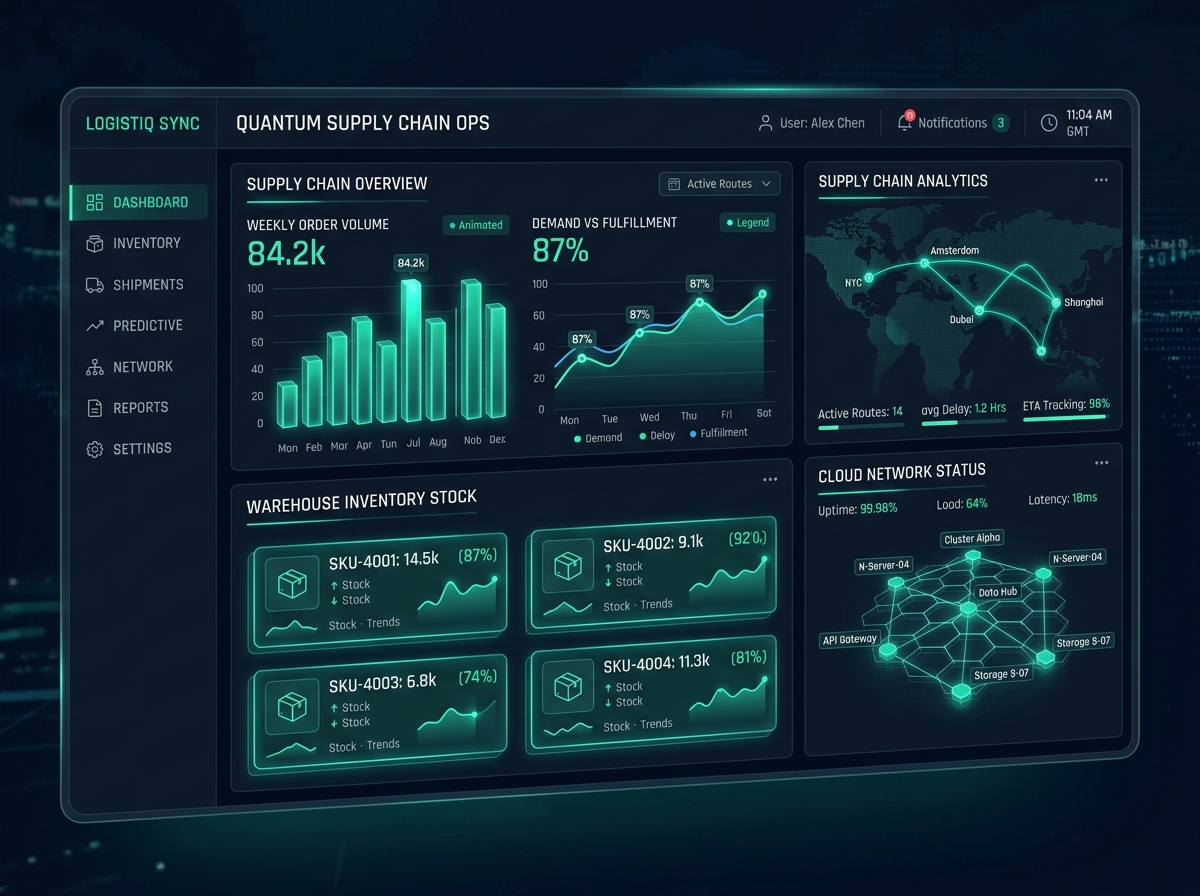
Multi-Warehouse Stock
100k+ Items Tracked
Pharma & Batch Audit
Expiry & Batch Managed
Dispatch & POS Sync
Centralized Multi-Counter
What is Marg on Cloud?
Marg on Cloud hosting is a solution that deploys your desktop-based Marg business management and ERP software onto a secure, remote virtual server instance. Instead of depending on a single physical office computer, your entire business registry, inventory, and accounts are hosted in a centralized cloud environment.
This allows authorized sales agents, warehouse managers, accountants, and company executives to connect remotely to the same hosted environment. Your business data remains centralized and updated in real-time, eliminating physical office dependencies and sync delays.
User Device
PC, Mac, Tablet
Internet
Secure SSL
Secure VM
Marg Host
Business Data
Central Ledger
Why Host Marg on Cloud?
Improve accounting efficiency and secure your business database with a scalable server environment.
Access Marg Anywhere
Access the hosted Marg environment remotely from authorized devices wherever an internet connection is available.
Centralized Business Data
Keep the Marg environment and business information centrally managed, preventing data synchronization gaps.
Multi-User Collaboration
Allow authorized users to work concurrently within the configured Marg environment without database lockups.
Remote Business Operations
Support accounting and business teams working from different locations to maintain continuous workflows.
Backup Configuration
Configure appropriate backup strategies for important business data to protect ledger files from accidental loss.
Reliable Infrastructure
Run Marg in a properly configured cloud environment with isolated resources and high SSD transfer rates.
Controlled Access
Use authentication and access controls for authorized users, preventing unauthorized connections.
Scalable Resources
Adjust server resources like CPU and memory as business requirements and user counts change.
How Marg on Cloud Works
Get your cloud accounting environment running in five simple and structured stages.
Cloud Environment Setup
Configure a suitable dedicated virtual machine based on the business requirements.
Marg Environment Setup
Install and configure the required Marg ERP environment on the dedicated cloud desktop.
Data Configuration
Configure or migrate the required business data and ledger history securely to the cloud server storage.
User Access
Set up authorized users and appropriate access permissions to ensure secure connections.
Remote Business Management
Users connect securely to the hosted environment and execute accounts, billing, and inventory tasks remotely.
Supported Marg Business Functions
Run standard inventory, accounting, and business ERP features in your remote environment.
Accounting
Manage ledger journals, daily payments, receipts, vouchers, and vendor cash books in real time.
Billing
Generate point-of-sale invoices, customize retail billing setups, and process barcode scans remotely.
GST-Related Operations
Compute tax brackets, compile GST reports, file returns, and generate invoice formatting based on cloud records.
Inventory Management
Track multi-godown stock allocations, monitor batch expirations, configure discount slabs, and log reorder quantities.
Sales Management
Process sales orders, manage discount schemas, check outstanding balances, and print customer bills.
Purchase Management
Verify vendor purchase invoices, track order receipts, record purchase challans, and check ledger balances.
Financial Reporting
Generate balance sheets, profit & loss, trial balances, and cash statements in real time.
Business Reporting
Examine sales margins, inventory turnovers, vendor performance graphs, and aged outstandings.
Customer & Vendor Management
Configure payment reminders, enforce credit limits, and analyze customer ledger registers.
Who Can Use Marg on Cloud?
Ideal for businesses requiring centralized inventory tracking and remote accounting management.
Traders & Retailers
Retail networks, pharmaceutical shops, FMCG outlets, and traders who coordinate sales billing and stock logs in real time.
Distributors & Wholesalers
FMCG and pharma wholesalers tracking stock movements across multiple warehouses and processing remote order invoices.
Small & Medium Businesses
Small and medium enterprises seeking to centralize accounting databases and reduce IT hardware maintenance costs.
Remote Business Teams
Accounting teams, billing staffs, and executives working from different locations needing isolated concurrent access to Marg.
Why Host Marg on a Dedicated VM?
Hosting your Marg ERP software on our dedicated virtual machine (VM) provides isolated memory, storage, and processing allocations compared to shared server environments.
Dedicated server parameters minimize query lag, database lockouts, and memory leaks, ensuring your business ERP runs at high speed even during heavy transaction periods.
Dedicated VM Isolation
Isolated processor cores, RAM limits, and SSD spaces designated only for your Marg system.
Operational Control
Set custom system preferences, install third-party plugins, and configure specialized printer connections.
Dynamic Scalability
Quickly scale server computing capacity upwards as transaction databases or user numbers grow.
Security & Data Backup Configurations
Multi-layered server protection configurations designed to secure your business ERP ledger files.
Authentication Layers
Strict access credentials can be configured, ensuring only authorized personnel connect to client server systems.
Access Control
Define folder-level permissions, preventing unauthorized employees from modifying core ledger data files.
Firewall Configurations
Hardware-level and system-level firewalls can be configured to block malicious traffic and unauthorized connection attempts.
Regular Backup Strategy
Scheduled backups can be configured to run daily or weekly, storing encrypted snapshots in separate storage clusters.
Marg on Cloud Use Cases
See how modern businesses deploy remote Marg instances to optimize operational workflows.
Multi-Location Businesses
Distributors and traders with branches, retail locations, and warehouses log inventory movements, client details, and cash logs directly into a centralized cloud database, preventing sync issues.
Remote Accounting Teams
Allow billing teams and tax bookkeepers to connect to the cloud environment remotely from their homes or remote offices, ensuring business continuity during peak tax periods.
Growing Businesses
As enterprise sales transactions expand, server processing capacities (RAM and disk space) can be scaled upward dynamically to maintain fast accounting performance.
Business Owners
Authorized business owners and CFOs connect to Marg from tablets or laptops to check inventory tables, cash logs, and sales reports remotely without interrupting operational teams.
Empower Financial & Operations Teams
Transitioning Marg to our enterprise cloud infrastructure eliminates local hardware dependencies, safeguards business ledgers, and enables modern remote working capabilities for your accounting and operations teams.
Service FAQs
Have questions about remote printing, multi-user management, or Marg cloud setup? Check the answers below.
What is Marg on Cloud?
How does Marg on Cloud work?
Can I access Marg remotely?
Can multiple users access Marg on Cloud?
Can I migrate my existing Marg data to the cloud?
Can Marg be accessed from multiple locations?
Is backup available for Marg data?
Is Marg on Cloud suitable for small businesses?
What is a dedicated virtual machine for Marg?
How can I get started with Marg on Cloud?
Take Marg to
the Cloud
Give your business flexible access to its Marg ERP environment with a cloud infrastructure designed around your operational requirements.
Secure
VM Isolation
NVMe
High Performance
Access
Any Workstation